
Key takeaways
The fastest path to import reviews into Shopify is an app that supports imports: install it, upload your file or connect a source, map your SKUs, moderate, publish.
No Shopify review import CSV? Every review app ships a template. Download it, fill in the columns, save as UTF-8, upload.
You cannot legally copy reviews you don’t own – including competitor listings and most catalog-based AliExpress reviews.
What you can import: reviews you collected yourself, reviews from your own previous store, and reviews from your own marketplace listings where the platform allows it.
The FTC requires reviews to reflect real customer experiences. Don’t fake, buy, suppress, or misrepresent them.
Imports are a launchpad, not a strategy. Switch on automated review requests the same week so the profile keeps growing.
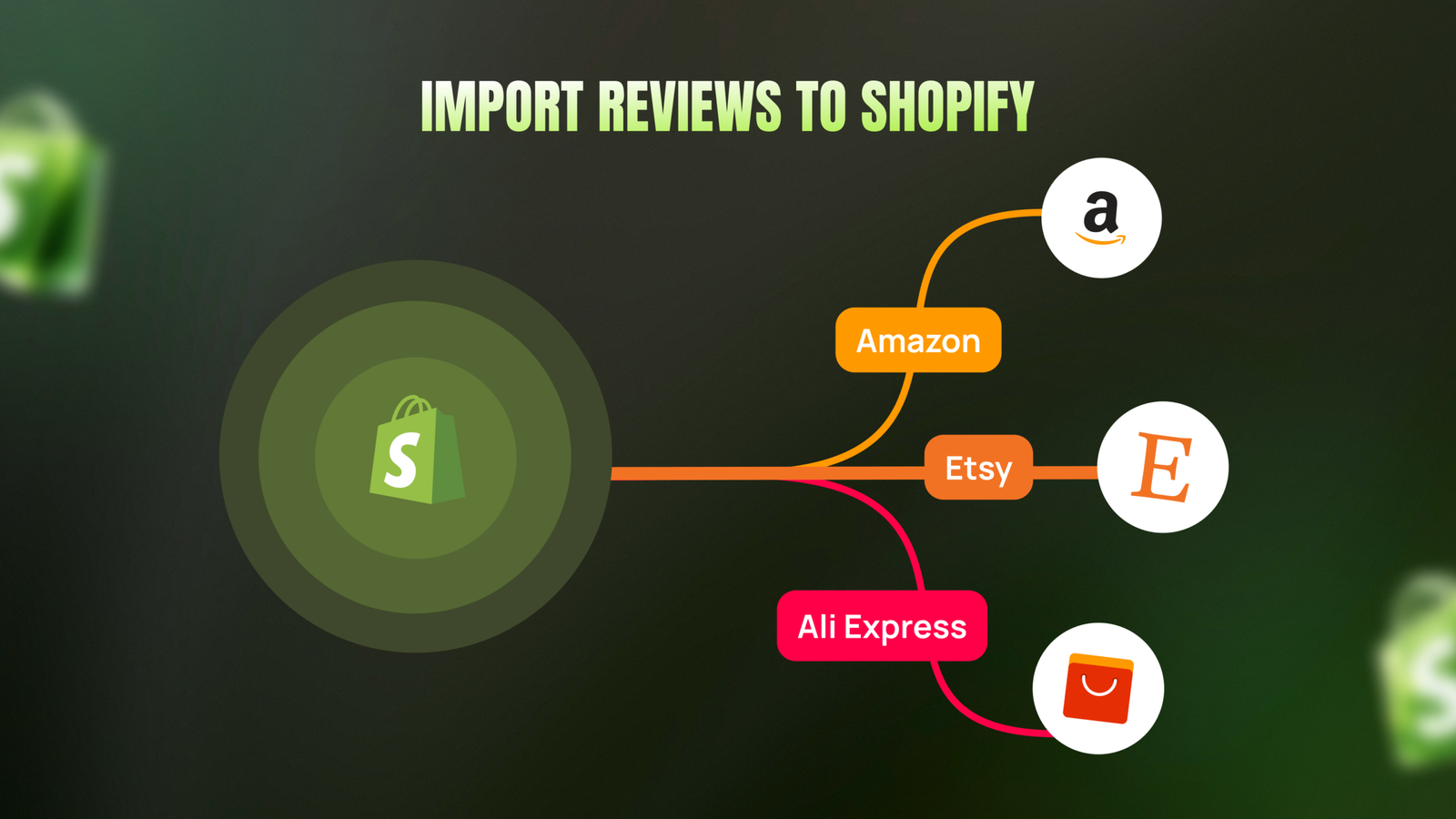
Launching a store with zero reviews means starting every product page on the back foot. That’s why the first question most merchants ask after a migration is how to import reviews to Shopify – they already earned social proof somewhere else and don’t want to abandon it. There are two routes: an app-based import (fastest, handles photos and formatting for you) and a manual CSV upload (works with almost any platform). This guide walks through both, platform by platform, along with the rules that keep you out of trouble.
Before You Import: The Legal and Platform Rules You Must Know
Read this section before you touch a single review. It takes two minutes and saves you from takedowns, bans, and refund disputes later.
Here’s the core problem: a customer review isn’t your content. It belongs to the person who wrote it, and it usually sits inside a platform that has its own rules about reuse. Copying reviews you don’t own onto your Shopify store misleads shoppers and breaks the terms you agreed to.
What the platforms actually say:
Amazon prohibits customer reviews, quotes, or testimonials in seller marketing materials – product descriptions, titles, bullet points, images, and package inserts. Sellers also may not attempt to influence or inflate ratings, feedback, or reviews.
AliExpress terms prohibit unauthorized scraping, copying, or redistribution of platform content, and seller agreements limit the use of platform data to completing transactions on the platform.
Etsy hosts reviews on the marketplace listing itself, and its Terms of Use cover how that content can be used. Reviews of your own Etsy shop are yours to talk about, but re-publishing them elsewhere deserves a careful read of the current terms.
The FTC (US) polices the output: its Endorsement Guides and the Consumer Reviews and Testimonials Rule require that reviews reflect genuine, real-world experience. Faking, buying, suppressing, or misrepresenting reviews is a compliance problem, not just a branding one.
What IS allowed – and worth importing:
✅ Reviews you collected yourself on your own website, email, or survey.
✅ Reviews of your own marketplace listings, where the platform’s terms permit it (and where you can prove the sale was yours).
✅ Reviews from a store you used to run, including a Shopify store you’re migrating from.
✅ Testimonials where the customer gave you permission to quote them.
The practical rule of thumb: if you’d have to explain awkwardly where a review came from, don’t import it. Import the reviews you can stand behind, then earn the rest.
Method 1 – Import Reviews with a Shopify Review App (Recommended)
This is the route most merchants should take. An app handles the file parsing, photo downloads, SKU matching, and moderation queue for you.
If you’re searching for the best Shopify app to import reviews, judge candidates on three things: import formats supported (CSV, and ideally direct source connections), photo handling, and how moderation works before anything goes live.
Go to your Shopify Admin → Apps → Shopify App Store, and search for “reviews importer.”
Install an app that explicitly supports review imports – check the listing’s screenshots for an import screen, not just a collection screen.
Open the app’s import tool and choose your source: upload a CSV file or connect a supported source.
Map your columns or SKUs to the app’s fields. Match on SKU or product handle, not product title.
Review the import summary – rows imported, rows skipped, rows that need a SKU.
Moderate the imported reviews and approve them in bulk.
Publish, then confirm the reviews appear on the matching product pages in your theme preview. ✅
The older Shopify Product Reviews app has been discontinued, so a third-party app is now the standard path. Trustyy supports importing reviews so merchants can launch with existing social proof already in place, then it auto-publishes moderated reviews to customizable widgets.
Method 2 – Import Reviews via CSV (Manual Method)
The CSV route works when your reviews live in a spreadsheet, in an export from another platform, or in a review tool that doesn’t offer a direct connection.
Install a review app that accepts CSV uploads and open its import screen.
Download the app’s CSV template. Don’t build a file from scratch – column names must match exactly.
Fill in one row per review, one column per field. Keep the template’s header row untouched.
Point the product column at your SKU or product handle, not the product name. This is where most imports break.
Add photo URLs (not uploaded image files) in the media column. The image must be publicly accessible.
Save the file as CSV UTF-8. Excel’s plain “CSV” option can mangle accents and emoji.
Upload the file in your app’s import screen and start the import.
Check the results screen: row count, skipped rows, and unmatched SKUs.
Fix the skipped rows, re-upload only those, and confirm the reviews show on the right products. ✅
Typical columns in a review import CSV
| Column | What goes in it |
|---|---|
| Reviewer name | Display name, e.g. “Sarah M.” Leave blank only if the app supports anonymous reviews. |
| Reviewer email | Used for deduplication and verification badges. Use the real address where you have it. |
| Rating | A whole number from 1 to 5. No stars, no text, no “4/5”. |
| Review title | The short headline. Can be blank if your source didn’t have one. |
| Review body | The review text. Quote it exactly as written – don’t edit or trim. |
| Review date | Format as YYYY-MM-DD or the ISO date the app documents. Inconsistent formats shift timelines. |
| Product SKU | Your Shopify variant SKU, matching your catalog exactly. |
| Product handle | The URL slug of the product. Use this if SKUs are messy or missing. |
| Photo URL | A direct link ending in .jpg, .png, or .webp. One URL per cell, separated by a comma or pipe. |
| Reply | Your store’s response, if you’re importing an existing reply. Often optional. |
| Status | “Published” or “Pending” – leave as Pending if you want to moderate first. |
How to Import Amazon Reviews to Shopify
The honest version first: you can only move reviews that are yours. That means reviews on your own seller account or your own branded listings – never a competitor’s listing, and never a product page you don’t control.
Amazon’s review policies also forbid using customer reviews, quotes, or testimonials in marketing materials tied to your Amazon products, so treat your import as limited to reviews where you hold the relationship with the buyer.
Sign in to Amazon Seller Central and open the reviews for your own listings.
Copy the review text, rating, date, and reviewer display name into your CSV template – a few dozen at a time.
Keep the original wording. Trimming a negative clause out of a mixed review destroys the value of the import.
Map each review to the matching SKU or product handle in your Shopify catalog.
Upload the file, then moderate before publishing.
The workaround that actually scales: ask past buyers to re-post. Export your Amazon order history, then send those customers a review request pointing at your Shopify product page. They’re reviewing the product from genuine experience, and the review now belongs to your store. Never offer a reward for a positive review, and never gate the request to happy customers only.
How to Import AliExpress Reviews to Shopify
Dropshippers import AliExpress reviews because a product page with photos and 4.8 stars converts far better than a blank one. Photo reviews in particular do the heavy lifting.
But this is the riskiest import in this guide. AliExpress terms prohibit unauthorized copying and redistribution of platform content, and catalog reviews often come from buyers of a completely different seller. That means you’d be publishing a stranger’s experience as if it were your customer’s.
Install a review app or browser extension that offers a dedicated AliExpress importer.
Paste the AliExpress product URL and let the tool pull available reviews.
Apply filters – photos only, a rating band, or a review count cap – so you’re importing a sample rather than everything.
Map the imported reviews to your Shopify product by SKU or handle.
Send the batch to moderation so nothing publishes unreviewed.
Mitigating the authenticity risk:
Treat imported AliExpress reviews as a bridge, not a permanent fixture.
Disclose where content comes from when your audience would reasonably expect your own customers’ words.
Replace imported reviews with your own as they arrive – most stores hit a natural crossover within a few months.
If the product changed suppliers or specs, delete the old imported reviews entirely. They no longer describe what you ship.
How to Import Etsy Reviews to Shopify
Etsy doesn’t offer a review export, so importing Etsy reviews to Shopify is a manual copy job – but a manageable one for a shop with a few hundred reviews.
Open your Etsy Shop Manager → Marketing → Reviews and sort by most recent.
Copy reviewer name, star rating, review text, and date into your CSV template, batch by batch.
Match each review to the closest product in your Shopify catalog. Etsy listings rarely map 1:1 – a “custom order” review may not belong to any single SKU.
For listings with no Shopify equivalent, either skip the review or attach it to the closest product category page.
Re-read Etsy’s Terms of Use on content posted to the marketplace before you publish, and only import reviews of your own shop. ✅
If a review came from an Etsy listing that no longer exists on Shopify, skip it. A mismatched review confuses shoppers more than a missing one.
How to Import Reviews from Another Shopify Store
Migrating between two stores you own – a rebrand, a second market, or a merge – is the cleanest import there is, because the reviews are unambiguously yours.
In the old store, open your review app and export all reviews to CSV.
Note which columns your old app produces; they won’t match the new app’s template.
Align the columns, keeping SKUs identical across both catalogs where possible.
Import into the new store’s review app and map by SKU or handle.
Re-point photo URLs. If your old CDN or app shuts off, the images will break – rehost them.
Check the review dates before publishing so a five-year-old review doesn’t appear as last week’s.
What carries over: review text, ratings, dates, reviewer names, replies, and photo links.
What doesn’t: verification badges tied to old order records, app-specific “helpful” vote counts, and any SEO value the old app’s structured data produced. Expect to re-verify customers on the new store.
How to Import Reviews from a CSV from Any Platform
WooCommerce, BigCommerce, Wix, Squarespace – the mechanics are the same. Export reviews from the old platform, then map the columns to your app’s template.
| Source platform | What you export | Mapping note |
|---|---|---|
| WooCommerce | Product reviews via a plugin or the WordPress database export | Comment content maps to review body; watch for HTML tags. |
| BigCommerce | Reviews via the control panel export or API | Status field often arrives as “approved” – convert it to your app’s format. |
| Wix | Reviews from the Wix dashboard export | Images may be hosted on Wix URLs that expire; rehost before importing. |
| Squarespace | Reviews via an app such as a third-party reviews tool | Since reviews are app-hosted, export from the app, not the site builder. |
| Legacy Shopify Product Reviews | CSV export from the old app | Some modern apps accept this format directly with no editing. |
| Google Sheets / manual list | Whatever you’ve compiled yourself | Rename headers to match the template exactly before saving as UTF-8. |
Whichever platform you’re leaving, always open the exported file once in a plain text editor. Hidden characters and smart quotes are the most common cause of a failed import.
Common Import Problems and How to Fix Them
| Problem | Likely cause | Fix |
|---|---|---|
| SKUs don’t match / reviews land on the wrong products | SKUs missing, inconsistent, or you mapped on product title | Export your Shopify product CSV, VLOOKUP your SKUs against it, and re-import only the unmatched rows. |
| Photos don’t load | URLs point to a private CDN, an expiring link, or a page rather than an image file | Rehost images somewhere public, verify each URL ends in an image extension, then re-import. |
| Dates show wrong | Mixed date formats, or a US/UK day-month swap | Standardize every cell to YYYY-MM-DD before uploading. |
| Reviews show as unverified | No matching order record exists for that email | Expected for genuine imports. Keep the badge off rather than forcing it on. |
| Duplicate reviews | The same file was imported twice, or the app didn’t dedupe by email plus product | Delete the duplicate batch, then re-import with deduplication enabled and one row per reviewer per product. |
| Import fails on large files | Row limits, memory limits, or a single malformed row | Split the file into chunks of a few thousand rows and import sequentially to isolate the bad row. |
After the Import: What to Do Next
An import is a starting position. What you do in the week after determines whether it looks like social proof or a data dump.
Moderate everything. Approve reviews in batches, and delete anything you can’t verify or defend. One obviously fake review costs more trust than ten real ones build.
Mark reviews appropriately. Keep verification badges accurate and disclose imported content where a shopper would reasonably assume the reviews are yours.
Turn on automated requests. Post-purchase review requests are what take you from fifty imported reviews to five hundred real ones.
Reply to imported reviews. You’re still answering a customer’s words. A short, specific reply signals an active merchant.
Audit monthly. As new reviews arrive, retire imported ones that no longer describe the current product or supplier.
FAQ
Only reviews you own – reviews on your own seller account or branded listings – and only where Amazon’s policies allow it. Amazon explicitly forbids using customer reviews, quotes, or testimonials in seller marketing materials, so the safe path is to invite past buyers to re-post their feedback on your Shopify store.
It’s legally risky. AliExpress terms prohibit unauthorized copying and redistribution of platform content, and most catalog reviews belong to buyers of another seller’s listing. If you import them anyway, treat them as temporary, disclose the source, and replace them with your own customer reviews quickly.
Use a review app’s free plan that includes import functionality – that covers most stores under a few hundred reviews. Shopify’s own Product Reviews app has been discontinued, so the free route now runs through a third-party app’s import screen plus a CSV file. The software is free; the time is the cost.
CSV, saved as UTF-8. Keep the app’s header row exactly as provided, one review per row, and one value per cell. Avoid XLSX files, merged cells, and plain “CSV” exports from Excel that strip special characters.
It depends on the app, but most handle a few thousand rows comfortably and struggle past that. If a file over roughly 5 MB fails, split it into batches of a few thousand reviews and import them one after another.